Free VCE Player Online: Instantly Open Your Exam Files (No Download)
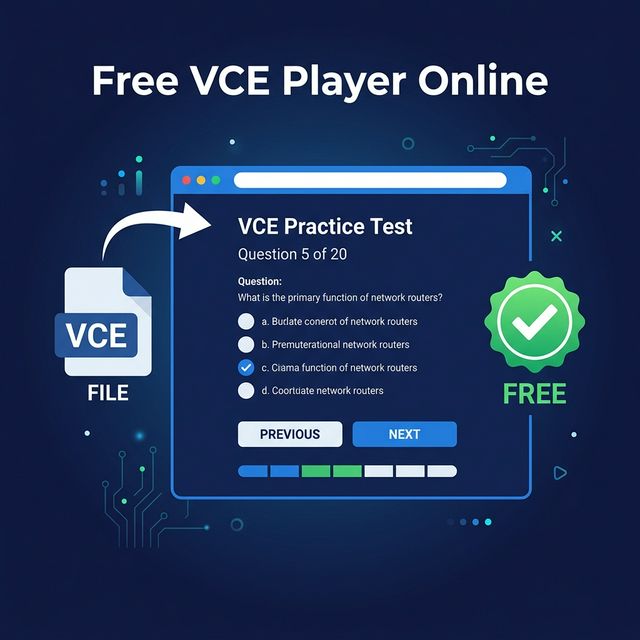
You’ve tracked down the perfect VCE exam dump file. You download it, double-click it, and… you’re hit with a paywall. The software you need to open your own study material demands $40+ just for basic simulator features. Sound familiar?
Most aspiring IT pros preparing for CompTIA, Cisco, or Microsoft exams have run into this massive roadblock. Certification exams are expensive enough. Practice tools shouldn't drain your remaining study budget.
That’s exactly why we built the ultimate free VCE player online (no download required). It runs entirely in your browser, completely bypassing the software installation process.
Why the Legacy VCE Industry is Broken
For years, companies like Avanset have dominated the VCE file marketplace. They bundle exam question dumps into proprietary .vce formats, forcing users to download their desktop simulator. The catch? The simulator itself costs money, requires constant updates, and often isn't compatible with macOS or mobile devices.
Practicing for a certification exam should be seamless—not a technical headache. You shouldn't need a clunky Windows app or a trial subscription just to read multiple-choice questions.
How Our Free Browser-Based Player Works
Our VCE parser uses modern JavaScript to extract the text, images, and answers from your file directly inside your web browser.
- Instant Access: Click our upload tool, drag and drop your VCE file (or a standard PDF/Word doc), and the quiz interface launches instantly.
- Zero Downloads: You don't install anything. There is no .exe or .dmg file cluttering your machine.
- 100% Free Forever: No trial periods. No feature gating. No credit cards.
- Absolute Privacy: As a client-side web application, your files are never uploaded to our servers. All parsing happens locally on your device. We respect your security.
Paid Simulators vs. The CertQuiz Approach
When you use a legacy desktop simulator, you're locked into their ecosystem. With CertQuiz, you get professional-grade prep features completely free:
- Domain Scoring: Your exam results are broken down by domain so you know exactly which areas need more focus.
- Flexible Modes: Choose "Study Mode" for instant explanations or "Timed Mode" to simulate real test pressure.
- Cross-Platform: Study on your phone while commuting or on your laptop at home. The responsive design works seamlessly anywhere.
What the CompTIA Security+ (SY0-701) Exam Actually Looks Like
A practice tool only helps if you know what you're practicing for. CertQuiz is an independent study resource and is not affiliated with or endorsed by CompTIA, so we always send you to the source for the official rules. Before you load a single question, it pays to understand the structure of the live exam.
According to CompTIA's official exam page, the Security+ SY0-701 exam contains a maximum of 90 questions delivered as a mix of multiple-choice and performance-based items, runs for 90 minutes, and requires a passing score of 750 on a scale of 100–900. CompTIA also recommends candidates hold CompTIA Network+ and have around two years of experience in a security or systems administrator role before sitting the test (CompTIA Security+ certification). Those performance-based questions are the part most VCE-style dumps handle poorly: they simulate real tasks rather than asking you to pick a letter, so don't let a high score on plain multiple-choice questions lull you into a false sense of readiness.
The Five Security+ Domains (and How to Weight Your Study Time)
The SY0-701 exam is organized into five domains, each carrying a fixed percentage of your score. Smart candidates allocate study hours in proportion to those weights rather than spending equal time on everything. CompTIA publishes the exact breakdown (CompTIA: Security+ 601 vs. 701):
- Security Operations — 28%: The single largest domain. Expect questions on monitoring, incident response, vulnerability management, and hardening. If your time is limited, start here.
- Threats, Vulnerabilities, and Mitigations — 22%: Attack types, threat actors, social engineering, and the controls that blunt them.
- Security Program Management and Oversight — 20%: Governance, risk, compliance, policies, and third-party risk. Heavier on concepts than commands.
- Security Architecture — 18%: Secure network and cloud design, zero trust, and data protection.
- General Security Concepts — 12%: Foundational vocabulary, the CIA triad, cryptography basics, and change management.
The 701 revision trimmed the syllabus to 28 objectives, down from 35 in the older SY0-601 version, reflecting a more focused job role rather than an easier exam (CompTIA). Whatever practice files you upload, cross-check them against the current objectives PDF on CompTIA's site — question banks built for retired versions will test you on outdated material and waste your time.
A Study Strategy That Actually Moves the Needle
Loading questions into a player is the easy part. Turning practice into a pass takes a deliberate routine. Here's the approach we'd recommend layering on top of any question bank:
- Diagnose first, drill second. Take one full-length, timed run before you study anything. The per-domain score breakdown tells you where your real gaps are — that's far more useful than a guess about your "weak areas."
- Use Study Mode to learn, Timed Mode to test. In the early weeks, read every explanation, including the ones for questions you got right. Switch to timed, full-length sessions in the final two weeks to build the stamina the 90-minute clock demands.
- Chase the explanation, not the answer. Memorizing that "C is correct" is worthless when the exam reshuffles the wording. If you can explain why the other three options are wrong, you actually understand the concept.
- Weight your hours to the domains. With Security Operations at 28% and General Security Concepts at 12%, a balanced 50/50 split between them is a poor use of time. Spend roughly twice as long on Operations.
- Get hands-on with the heavy domains. Performance-based questions reward people who have actually configured a firewall rule or read a log. Pair your reading with a free lab or a home virtual machine.
Don't Forget the Renewal Math
Passing is the start, not the finish. CompTIA Security+ is valid for a fixed period and then must be renewed — you keep it active by earning 50 Continuing Education Units (CEUs) through approved training, higher-level certifications, or work experience, or by taking a CertMaster CE course (CompTIA: Renewing Security+). CE fees are paid across the three-year certification cycle rather than as an annual charge (CompTIA: Continuing Education Renewal Fees). Budgeting for renewal up front saves an unpleasant surprise three years down the line, and earning a more advanced certification later can reset the clock automatically.
Ready to Start Practicing?
Stop fighting with outdated desktop software. Let our browser engine do the heavy lifting.
If you have a file ready, head directly to our VCE upload tool and start practicing within seconds. Don't have a file? You can still test your knowledge right now with our pre-built CompTIA Security+ (SY0-701) exam simulator.
Exam prep shouldn't be hidden behind a paywall. Dive in.
Ready to Practice?
Try our free exam simulator. No signup, no paywall, 100% private.