What is a VCE File and How to Open It (Free 2026 Guide)
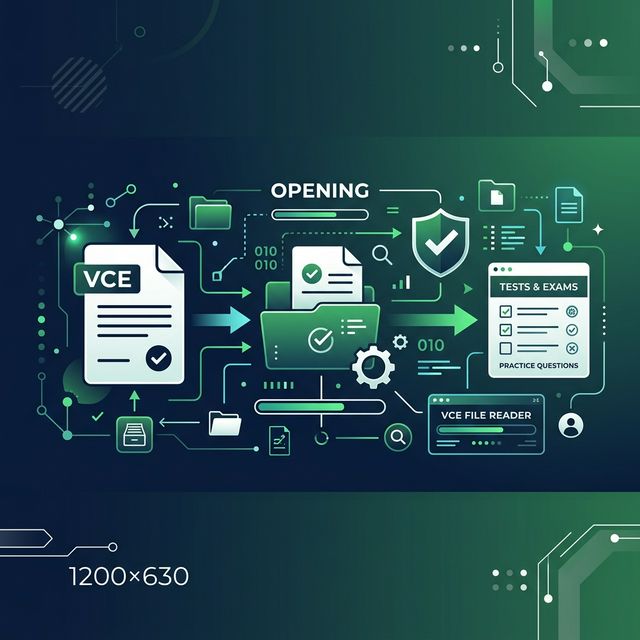
If you're studying for an IT certification like CompTIA, Cisco CCNA, or AWS, you've probably stumbled across a file ending in .vce. And if you've tried to open it, you probably hit a wall.
Your PC doesn't know what to do with it, and the software that does open it usually costs $40 or more.
Stop paying for overpriced exam simulators. In this guide, we will break down exactly what a VCE file is, why it's so common in the IT world, and how you can open it right now—for free, with no signup, and with 100% client-side privacy.
You don't need to download sketchy software to pass your exam. Let's get started.
What is a VCE File?
A VCE file stands for Virtual CertExam. It is a proprietary file format created by a company called Avanset for their Visual CertExam Suite.
Think of a VCE file like an interactive PDF, but specifically designed for practice exams. It doesn't just hold text; it holds the entire testing environment.
When you open a VCE file, you step into a realistic exam simulation. It contains:
- Multiple-choice questions
- Drag-and-drop scenarios
- Explanations for correct and incorrect answers
- A countdown timer mimicking the real exam
Because it perfectly simulates tests like the CompTIA Security+ or Cisco CCNA, the .vce format has become the gold standard for sharing practice questions among IT professionals.
The Problem: How Do You Open a VCE File?
Because the format is proprietary, you can't just double-click a VCE file and expect Windows or Mac to open it.
Historically, the only way to open a VCE file was to buy the official VCE Exam Simulator from Avanset. While effective, it is notoriously expensive, often costing upwards of $40 per month for a standard subscription. Competitors like Boson or Kaplan charge even more for their practice environments.
When you're already dropping hundreds of dollars on the actual exam voucher, getting price-gouged just to open a practice file is incredibly frustrating.
The Expensive Way (Traditional Simulators)
If you use the traditional route, the process looks like this:
- Pay for a monthly subscription to a desktop simulator.
- Download and install heavy software securely to your PC or Mac.
- Deal with licensing keys and constant updates.
The Free Way (CertQuiz)
We built CertQuiz because we believe certification prep should be accessible. If you have a .vce file, you should be able to open it immediately.
Instead of downloading expensive software, you can use our Free Online VCE Player. It runs entirely inside your web browser.
Why it's better:
- 100% Free: No paywalls, no hidden subscriptions.
- No Downloads: Open files directly in Chrome, Safari, or Edge.
- 100% Client-Side Privacy: Your files are processed locally on your device. We never upload your VCE files to our servers.
How to Open a VCE File Online (Step-by-Step)
Here is how you can open your .vce practice test in under 10 seconds without paying a dime.
Step 1: Navigate to the Upload Tool
Head over to the CertQuiz Upload Tool. You don't need to create an account or provide an email address.
Step 2: Drag and Drop Your VCE File
Locate the .vce file on your computer. Simply click and drag it into the designated upload zone on the page. Alternatively, click to browse your local files.
Step 3: Start Practicing Immediately
Because the processing is 100% local, the file opens instantly. Our web engine decodes the questions and renders the simulator directly in your browser. You can immediately start taking the practice test, complete with timers and scoring.
VCE vs. PDF: Which is Better for Studying?
You might be wondering if you should just convert your VCE file to a PDF. Here is a quick comparison.
| Feature | VCE Simulator | Standard PDF |
|---|---|---|
| Interactivity | ✅ High (Clickable answers) | ❌ None (Static text) |
| Exam Timer | ✅ Built-in | ❌ Manual |
| Score Calculation | ✅ Automatic at the end | ❌ Manual grading |
| Hidden Answers | ✅ Shows answers only after guessing | ❌ Answers visible immediately |
| Device Support | ⚠️ Requires a Player | ✅ Opens anywhere |
While PDFs are great for passive reading, VCE files are vastly superior for active recall and exam readiness. The pressure of a ticking timer and the inability to "accidentally" see the answer makes a massive difference in your actual exam performance.
Instead of downgrading your VCE to a PDF, just use a free exam simulator to get the full experience.
Matching Your VCE Practice to the Real Exam
A practice file is only useful if it mirrors how the real exam is actually structured. Before you grind through hundreds of questions, read the official exam objectives for your certification. Every major vendor publishes a free blueprint listing the exact domains, their weightings, and the skills measured—and that blueprint, not a random question dump, should drive your study plan. Here is how three of the most popular IT certifications break down, straight from the vendors themselves.
CompTIA Security+ (SY0-701)
Security+ is the entry point into cybersecurity for most professionals, and it is one of the most common exams shared in VCE format. According to CompTIA's official certification page, the current SY0-701 exam contains a maximum of 90 questions—a mix of multiple-choice and performance-based questions (PBQs)—delivered in 90 minutes, with a passing score of 750 on a scale of 100–900. CompTIA recommends candidates already hold Network+ and have around two years of hands-on experience in a security or systems administrator role.
The exam is split into five weighted domains:
- General Security Concepts — 12%
- Threats, Vulnerabilities & Mitigations — 22%
- Security Architecture — 18%
- Security Operations — 28%
- Security Program Management & Oversight — 20%
Notice that Security Operations is the single heaviest domain at 28%. If your VCE practice set is light on incident response, monitoring, and hardening questions, you are under-preparing for nearly a third of the exam. Use the official weightings to spot those gaps.
Cisco CCNA (200-301)
The CCNA is the networking world's flagship associate-level credential. Per Cisco's official 200-301 (v1.1) exam topics document, it is a 120-minute exam covering six domains:
- Network Fundamentals — 20%
- Network Access — 20%
- IP Connectivity — 25%
- IP Services — 10%
- Security Fundamentals — 15%
- Automation & Programmability — 10%
IP Connectivity carries the most weight at 25%, so routing concepts, OSPF, and static routing deserve the bulk of your timed practice. The v1.1 blueprint also added more emphasis on automation and even generative AI in network operations—older VCE dumps may not reflect that, which is one more reason to cross-check questions against the live objectives.
AWS Certified Cloud Practitioner
If you are stepping into cloud certifications, the Cloud Practitioner is the foundational starting point. The official AWS certification page lists 65 questions (multiple choice or multiple response), a 90-minute duration, and a registration fee of 100 USD. Because AWS updates its services constantly, this is an exam where leaning on a stale VCE file is risky—always confirm the current exam guide on the AWS site before you trust any third-party question set.
How to Study With a VCE File the Smart Way
Opening the file for free is step one. Passing is about how you use it. This routine works across CompTIA, Cisco, and AWS exams:
- Start with a cold diagnostic. Take a full timed run before studying. Your first score reveals your weakest domains—match the results against the official weightings above.
- Read every explanation, even on questions you got right. Understanding why a wrong option is wrong is how you handle reworded questions on exam day.
- Drill by domain, not by question number. Hit the heaviest-weighted domain first (Security Operations for Security+, IP Connectivity for CCNA).
- Simulate real conditions. Use the built-in timer, no notes, no pausing—the countdown clock is the whole point of a simulator over a PDF.
One important caveat: many VCE files online are unofficial "brain dumps" of memorized live questions. Sharing or memorizing actual exam content violates the non-disclosure agreement you accept when you sit the exam and can get your certification revoked. Use practice files to learn the material and build exam stamina, not to memorize leaked answers—quality practice questions are a study aid, but verbatim exam dumps are a liability.
Common Errors When Opening VCE Files
If you run into trouble, here are the most common issues and how to fix them.
"File format not supported"
Some newer files use a .vcex extension. These are encrypted versions of the older format. Ensure the tool you are using supports the latest encryption standards.
"File is corrupt"
If you downloaded a practice test from a sketchy forum, the file itself might be damaged. Try re-downloading the file from a reputable community source.
Stop overpaying for certification tools
The IT certification journey is expensive enough without being charged just to view your own study materials.
Now that you know what a VCE file is, don't waste time downloading $40 desktop apps. Drop your file into our Free VCE Player right now and start passing your exams.
Need more study materials? Check out our Blog Hub for free, comprehensive study guides for the industry's top certifications.
Ready to Practice?
Try our free exam simulator. No signup, no paywall, 100% private.